LogoUni-1 AI
  • Create
  • AI Image
  • AI Video
  • Prompts
  • Pricing
Officially ReleasedMarch 2025

GPT-4o Image Generator

GPT-4o is a multimodal image model from OpenAI, built for high-fidelity generation and flexible editing. It excels at producing images with clean, readable text, following complex layout directions, and integrating multiple reference inputs; this page lets you access it for text-to-image generation and reference-aligned editing, with support for up to five reference images per request.

Loading...

Prompt:

1:1

2:3

3:2

Model:

Loading...

Scene Examples 1
Click to enlarge
How to use GPT-4o

Use GPT-4o here for text-to-image and reference-based image editing

Begin with a detailed prompt, add up to five reference images if your project needs them, and refine your final result with follow-up instructions all on this single page.

01

Write the image brief like a layout request

Clearly outline your core subject, desired composition, material textures, lighting style, and any exact text that must be included in the final image.

02

Upload references when the model should follow them

Add up to five images when you want GPT-4o to match an existing product, brand palette, specific environment, or your desired creative visual direction.

03

Refine with follow-up instructions

Narrow down your prompt, request layout adjustments, or clarify which elements need to stay fixed until your final image meets your requirements.

Core strengths of GPT-4o

What stands out about GPT-4o as a hosted image model

GPT-4o differentiates itself from other hosted image models when your project requires adherence to long detailed briefs, clean readable on-image text, or integration of multiple reference inputs in a single streamlined workflow.

Readable text and layout control

OpenAI prioritizes text rendering as a core differentiator, making GPT-4o far more reliable for text-inclusive designs like posters, menus, product labels, and annotated assets compared to most general-purpose image-only models.

This capability is critical when both your main headline and supporting text need to remain intact and readable after generation.
It is especially useful for posters, menus, packaging labels, diagrams, and ad creatives with short copy blocks.
You can explicitly define layout hierarchy directly in your prompt instead of leaving element placement up to random chance.

Detailed instruction following in one hosted tool

GPT-4o is ideal when you need consistent composition, targeted styling, clear callouts, and exact copy all handled within a single prompt request, so you don’t have to split your workflow across multiple disconnected tools.

It processes creative-brief style prompts far more reliably than image tools that are only optimized for short, keyword-focused prompts.
This makes it perfect for drafting ad creatives, building educational explainers, and putting together product concept boards.
You can refine your idea iteratively without ever leaving the hosted generation session, streamlining your creative workflow.

Multiple reference images in one request

OpenAI natively supports image generation and editing with multiple image inputs, and this page allows up to five separate reference images per GPT-4o request.

This flexibility is extremely helpful when different references define your product, brand palette, desired styling, or spatial layout direction.
It works far better than single-single-reference workflows when multiple input references all need to influence the final output.
Your final output will stay much closer to your original design brief when each reference contributes a clear, specific part of the creative direction.

Useful for diagrams, explainers, and labeled visuals

GPT-4o isn’t limited to photorealistic marketing ads. It also excels at creating clear diagrams, numbered process flows, and information graphics where structural clarity matters just as much as visual style.

This expands its utility far beyond standard product beauty shots or cinematic concept art pieces.
It is one of the strongest hosted options when your image needs to explain a process or compare multiple items clearly for an audience.
This makes it ideal for user onboarding content, educational materials, packaging guides, and internal product communication.
Best use cases

Where GPT-4o is most useful

GPT-4o delivers the most value for text-aware creative layouts, annotated assets, reference-aligned edits, and visuals that require a detailed prompt to stay organized and on-brief.

Poster and campaign layouts with real copy

Use GPT-4o to create event launch posters, restaurant menus, retail signage, and announcement creatives where the on-image text is a core functional part of the final design.

Product concept boards and branded ad drafts

Quickly build product concept boards, labeled product mockups, and marketing visuals that balance clean visual structure, detailed product rendering, and short explanatory text labels.

Reference-based edits with multiple inputs

Input multiple reference images when you need product identity, brand palette, or existing design direction to carry through consistently to your final output or edit.

Instructional graphics and explainers

Generate clear numbered diagrams, short educational explainers, and annotated visuals where the image needs to communicate information, not just serve an aesthetic purpose.

Prompt patterns and examples

How to write better GPT-4o prompts with real examples

Every example card below highlights a proven GPT-4o prompt pattern, shows a real generated output, and breaks down the specific details that help the model correctly interpret your prompt. Focus on clear structure, exact wording, and explicit definitions of what each reference should control for best results.

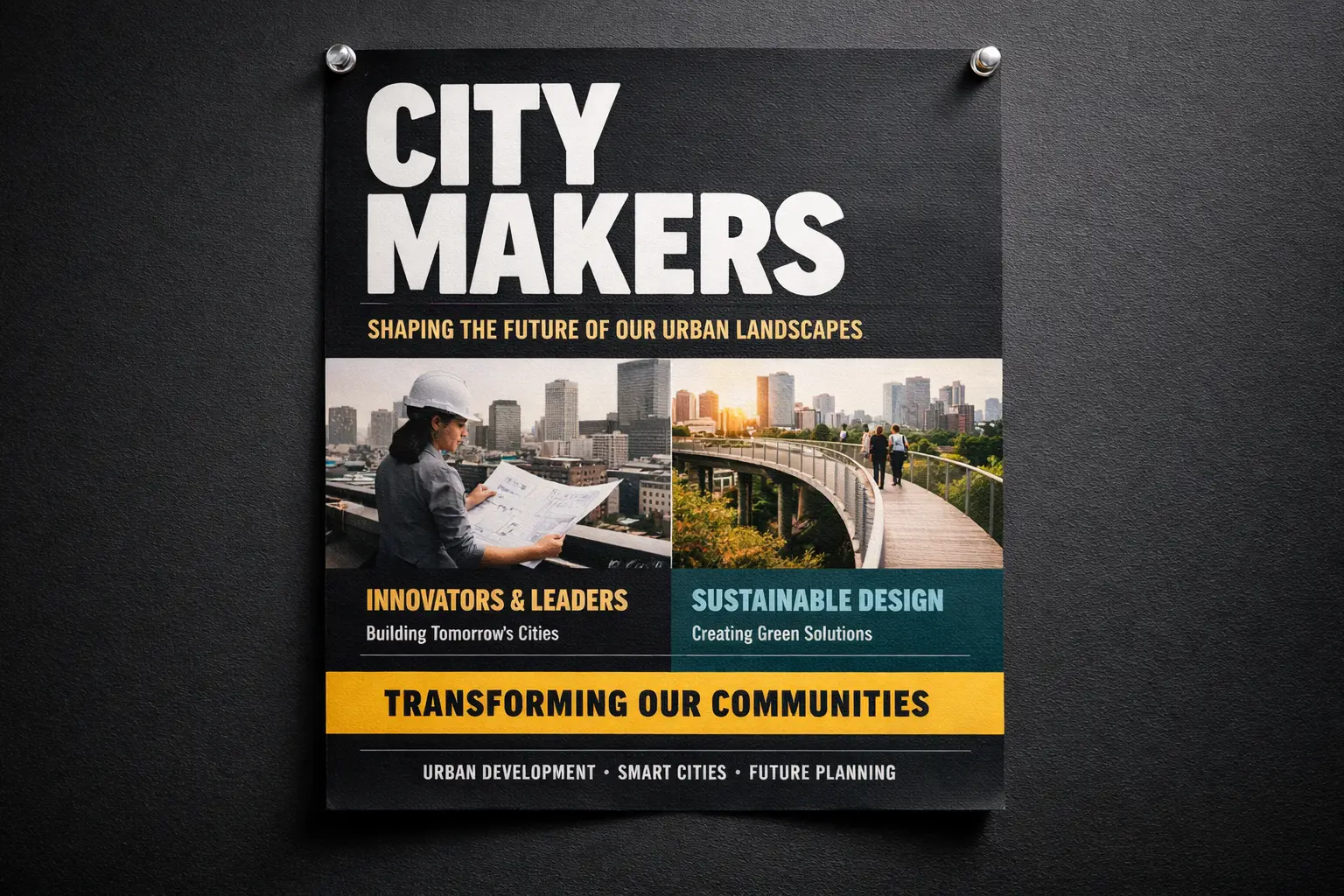
Poster with text

Strong prompt match

Ideal for event and campaign poster layouts where the headline, subtitle, and event details all need to remain fully readable.
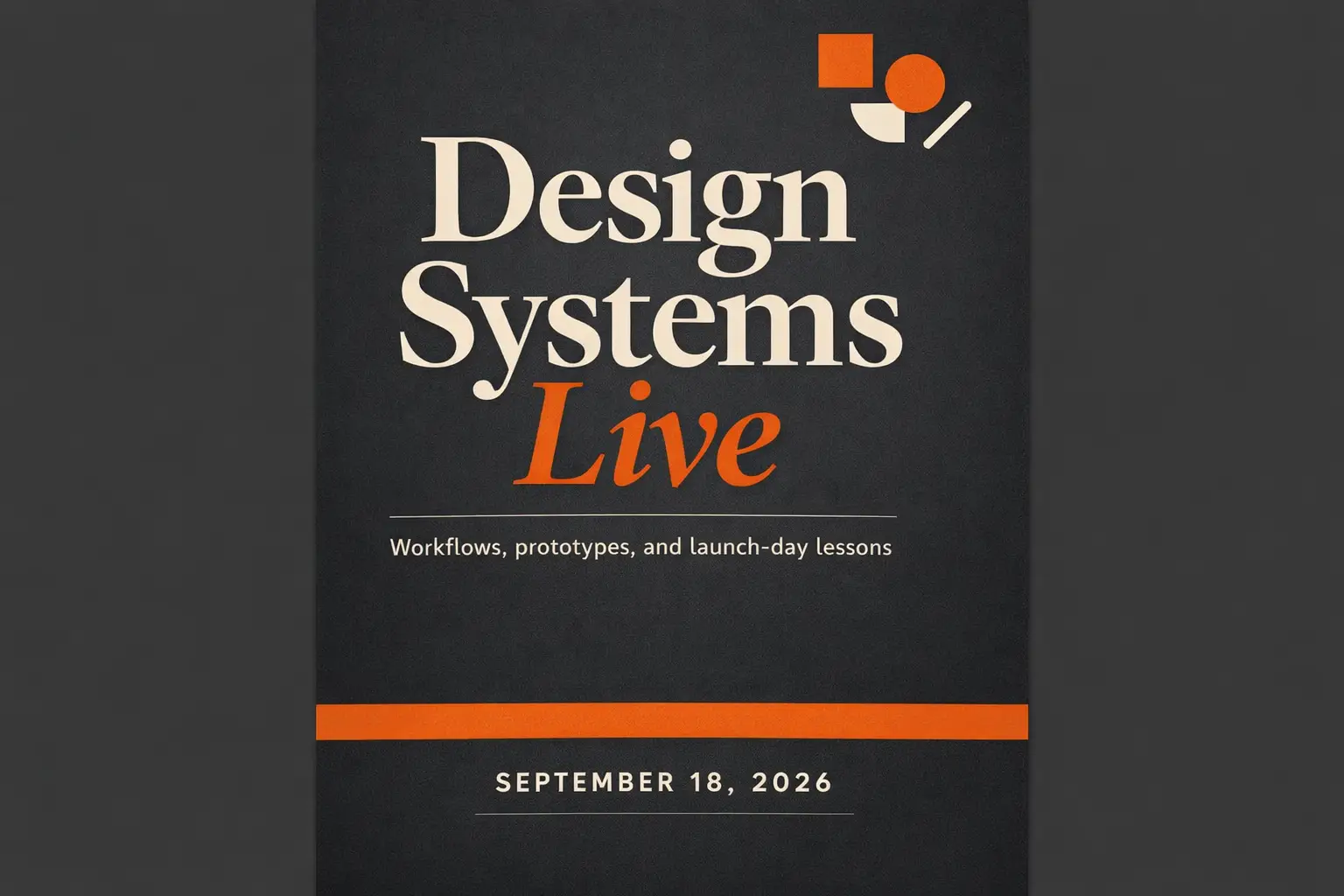
A professional event launch poster with a bold main headline and smaller supporting text arranged in a clear, intentional visual hierarchy.

Campaign poster with readable headline text

Prompt structure

[poster subject] + [exact headline text] + [layout hierarchy] + [color direction] + [ad or event context]

See full prompt breakdownShow More

Complete prompt text

Design a clean campaign poster for a creative conference. Large headline text: "Design Systems Live". Smaller subheading: "Workflows, prototypes, and launch-day lessons". Add a date line that reads "September 18, 2026". Use a dark graphite background, warm orange accent blocks, modern editorial typography, strong spacing, and a layout that feels like a premium event poster rather than a flyer.

What makes this effective

GPT-4o processes text and layout instructions far more reliably than most general-purpose image models, making it perfect for designs where readable text is a core part of the composition.

Intended output result

A text-accurate poster concept ready for use in event marketing, website landing pages, and social media event announcements.

Usage suggestions

  • Wrap exact required copy in quotation marks to make it clear that wording must stay unchanged.
  • Describe hierarchy separately from style so the model treats text as a structural element, not just decorative background detail.
Product marketing

Strong prompt match

Perfect for branded product concepts that require clear labels, callouts, and a structured, presentation-ready composition.

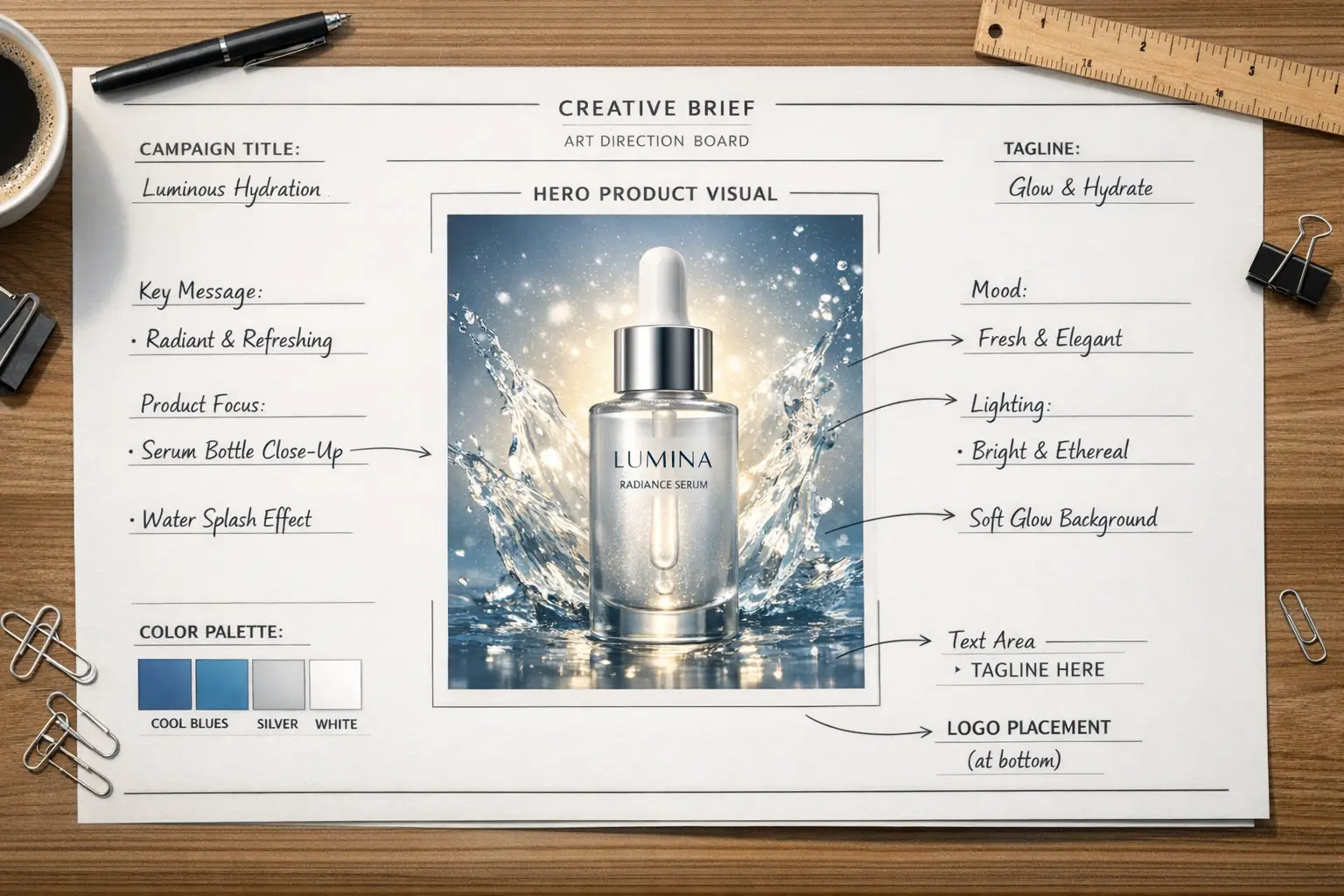
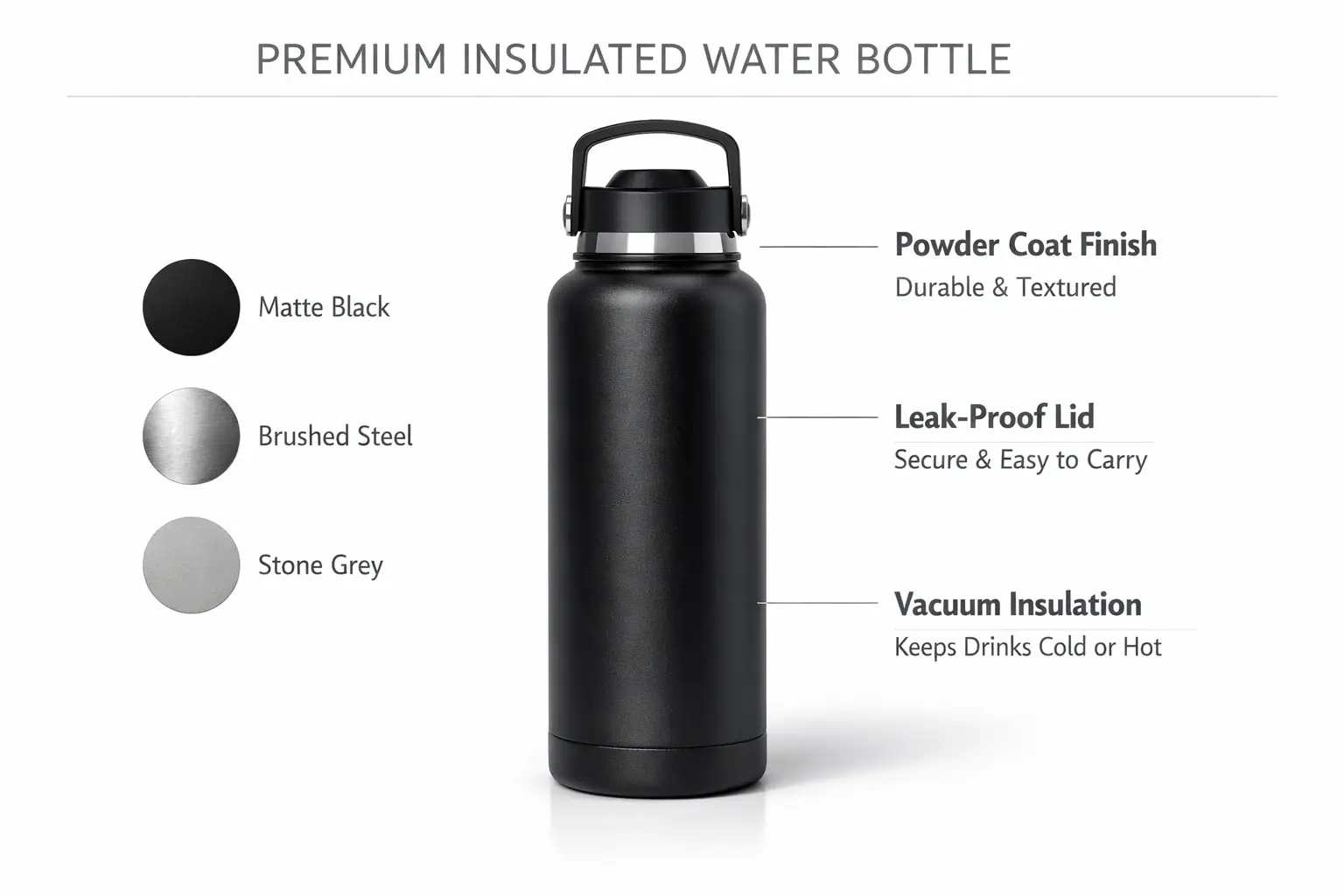
A structured product concept board featuring a central hero product image, complementary material swatches, and short, clear labeled annotations.

Annotated product concept board

Prompt structure

[product] + [board layout] + [callout labels] + [materials / colors] + [presentation style]

See full prompt breakdownShow More

Complete prompt text

Create a product concept board for a premium insulated water bottle. Show one large hero bottle in the center, three smaller material swatches on the side, and short callout labels for "powder coat finish", "leak-proof lid", and "vacuum insulation". Use a clean white background, restrained black and stone-gray typography, soft studio shadows, and a presentation style that feels like a design review board.

What makes this effective

This prompt clearly requests both accurate product rendering and a labeled layout, which plays directly to GPT-4o's core strengths of reliable instruction following and clean text rendering.

Intended output result

A clean, structured concept board ready for product reviews, brand presentation decks, or internal creative direction alignment.

Usage suggestions

  • Name every callout label explicitly instead of using vague language like "add some labels".
  • Use terms like board, sheet, deck, or review layout when you want the model to output a structured, presentation-ready composition.
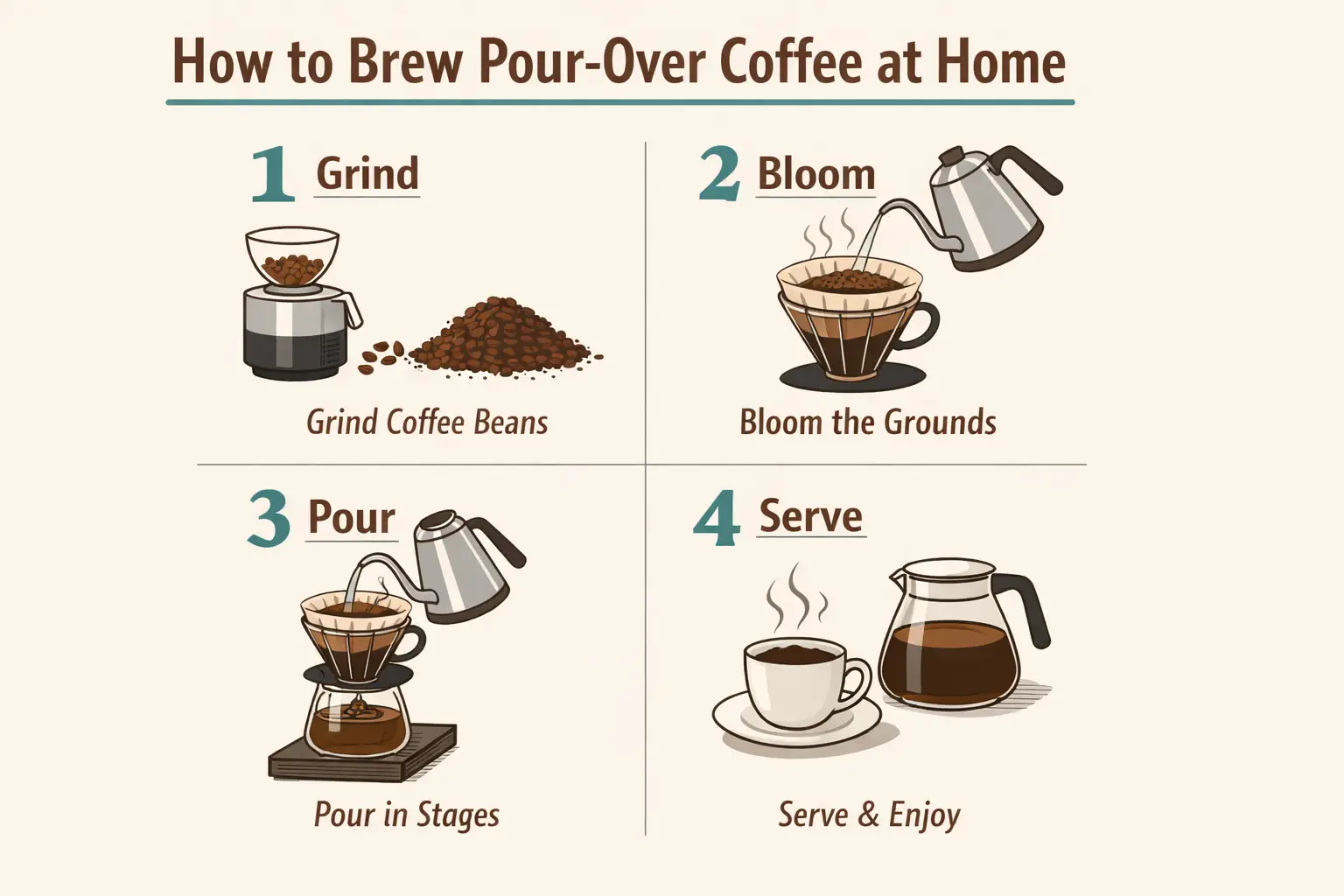
Diagram / explainer

Strong prompt match

Ideal for educational explainers that combine custom illustrations, short clear text, and numbered process steps.

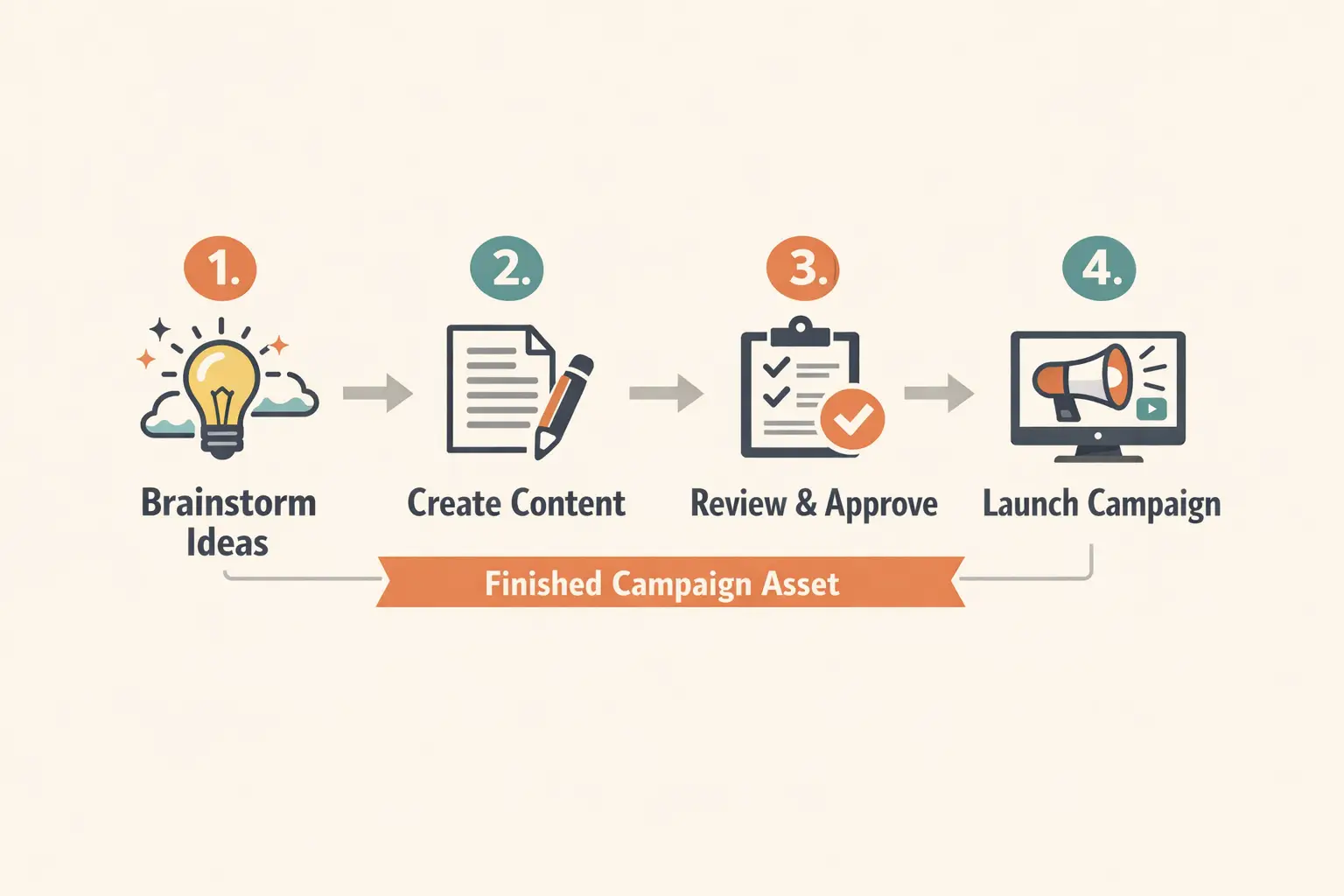
A clear step-by-step explainer diagram with numbered panels and short, easy-to-read labels.

Step-by-step explainer graphic

Prompt structure

[topic] + [number of steps] + [label text] + [diagram style] + [background and colors]

See full prompt breakdownShow More

Complete prompt text

Create a step-by-step explainer graphic for brewing pour-over coffee at home. Show four numbered panels with short labels: "1 Grind", "2 Bloom", "3 Pour", "4 Serve". Use simple editorial illustrations, clean icons, a cream background, deep brown text, muted teal accents, and a layout that looks like a magazine explainer rather than a cartoon.

What makes this effective

GPT-4o is uniquely well suited for diagram-style prompts where numbered steps and short labels need to stay clear and understandable for your audience.

Intended output result

A concise, easy-to-follow instructional graphic perfect for blog posts, user onboarding content, or education-focused marketing.

Usage suggestions

  • Keep text labels short to give the model the best chance of rendering them cleanly and correctly.
  • Always state the exact number of panels or steps required when layout structure is important to your project.
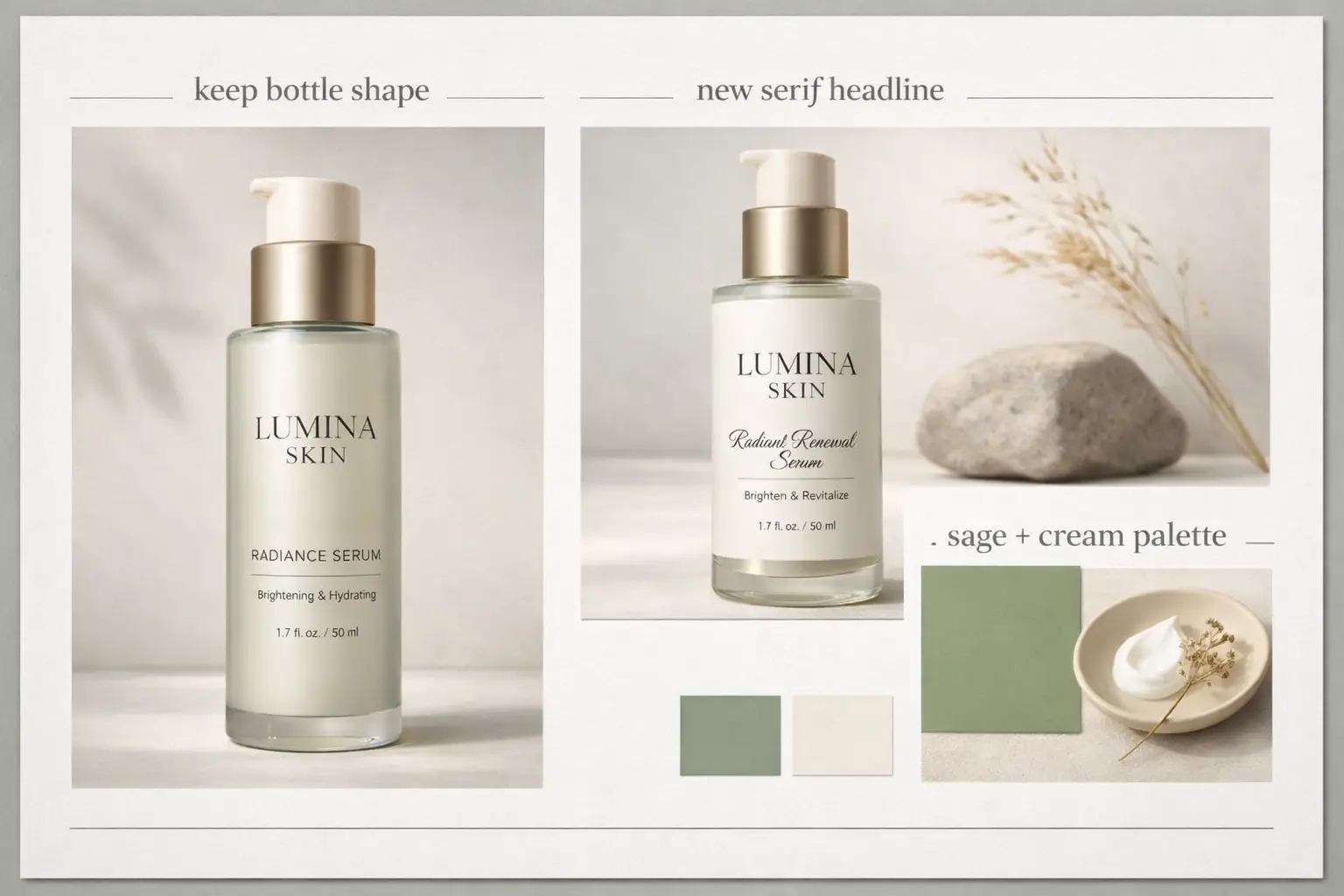
Packaging concept

Strong prompt match

Ideal for packaging refresh concept boards that combine accurate product detail, updated label direction, and short clear annotations.

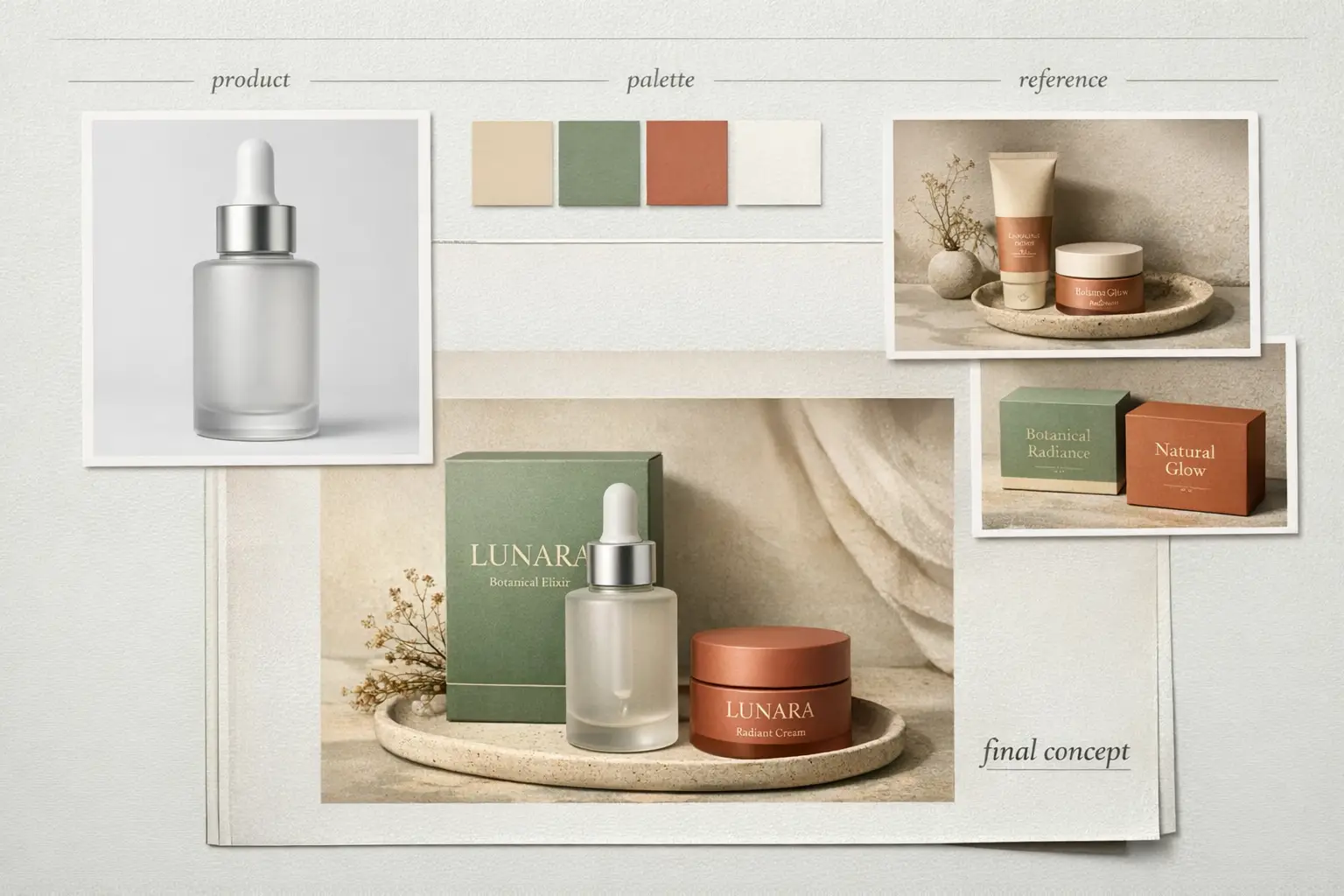
A modern packaging refresh concept featuring an updated label system and clean, professional product presentation.

Packaging refresh concept board

Prompt structure

[product] + [what should stay] + [new label direction] + [palette] + [board layout]

See full prompt breakdownShow More

Complete prompt text

Create a packaging refresh concept board for a premium skincare bottle. Show the bottle front-facing, then a secondary panel with a cleaner updated label direction. Add short labels: "keep bottle shape", "new serif headline", and "sage + cream palette". Use soft studio light, a minimal wellness-brand mood, and a neat art-direction board layout.

What makes this effective

This prompt requests a structured concept board with readable labels and a clear update direction, which aligns perfectly with GPT-4o's strength in following detailed instructions.

Intended output result

A polished packaging concept board ready for product update planning, label design exploration, or internal creative review meetings.

Usage suggestions

  • Explicitly name which elements should stay unchanged, so the final concept doesn’t drift away from your original product identity.
  • Add short clear labels when you want the concept board to read like a professional design review document for stakeholder alignment.
When to choose GPT-4o

Choose GPT-4o when readable text and multi-reference editing matter more than open weights

GPT-4o is the right choice for your project when you need readable on-image text, multiple reference inputs, or multiple rounds of iterative editing within a streamlined hosted product. It prioritizes structured creative work with reliable prompt adherence over local self-deployment capabilities.

Choose GPT-4o when the brief is detailed and the layout has to survive

Pick GPT-4o when you’re working from a detailed creative brief and need your layout structure to stay intact. It is the best option when your prompt requires clear structure: exact text, intentional annotations, multiple reference inputs, and a defined visual hierarchy. It shines when your image needs to communicate specific information, not just serve an aesthetic purpose.

Use another model when you care more about open weights or a different default style

Opt for a different model when open weights or local deployment are higher priorities than hosted workflow convenience, or when you prefer a different default visual style. Choose Z-Image when open weights and local deployment are part of the decision. Choose Seedream 4 or Flux 2 when you want a different built-in visual style and do not specifically need GPT-4o's text and multi-reference strengths.

Community proof

Video walkthroughs and outside reviews for GPT-4o image generation

These third-party videos provide independent validation of GPT-4o's strengths in text rendering, layout control, and reference-based editing. They are hosted here to supplement this model page, not replace the proven prompt writing patterns shared earlier in this guide.

Sample generated videos

FAQs

FAQ

About Uni-1 and our platform

What is GPT-4o image generation?

GPT-4o image generation refers to the native image creation functionality built into GPT-4o by OpenAI. As a multimodal model, OpenAI is designed to both generate and edit images while adhering to detailed instructions, rendering clean readable text, and leveraging full conversational context to match your request.

What is GPT-4o best for?

GPT-4o shines for text-heavy marketing posters, new ad concepts, annotated explanatory graphics, product concept boards, and any edit where prompt requires consistent layout, clear labels, and intentional visual hierarchy.

Does GPT-4o support image-to-image here?

Yes, it does. On this page, GPT-4o supports both text-to-image generation and reference-based image editing. You can upload up to five separate reference images to help the output more closely match your existing product, brand palette, desired layout, or target aesthetic.

Which aspect ratios does GPT-4o support here?

GPT-4o currently supports 1:1, 2:3, and 3:2 for outputs generated here. This range covers everything from square social assets and vertical portrait layouts to standard horizontal landscape compositions for marketing campaigns.

How do I write better prompts for GPT-4o?

Prioritize clarity and specificity. Name your core subject, outline all required elements that need to appear on the canvas, describe your desired layout hierarchy, put exact required text in quotes, and separate mandatory elements from optional style preferences. GPT-4o produces much better results when prompt is structured like a clear, concise creative brief.

When should I use GPT-4o instead of Z-Image or Seedream 4?

Pick GPT-4o when your priority is clean readable text, integration of multiple reference images, and streamlined hosted editing. Opt for Z-Image when open model weights and local self-deployment are non-negotiable requirements for your project. Turn to Seedream 4 when you prefer a more stylized, cinematic default visual output without a specific need for strong text rendering.

Can GPT-4o generate readable text inside images?

Yes, this is one of its most celebrated strengths. OpenAI specifically positions text rendering as a core capability of GPT-4o image generation, making it a go-to choice for posters, menus, labels, diagrams, and annotated marketing assets.

Can I use GPT-4o images commercially?

For commercial production use, GPT-4o output should be treated the same as output from any other hosted AI model: always review it for brand alignment, legal compliance, and adherence to platform policies before publishing. Commercial usability depends on your specific use case and the applicable platform terms that apply here.

Still have questions? We're here to help

Join Discord
Related models

Compare GPT-4o with other image models on this site

If GPT-4o isn’t the best match for your specific workflow, compare it with these other hosted image models on our site to evaluate differences in text rendering, editing style, deployment options, and default visual direction.

Z-Image Generator

Compare GPT-4o with Z-Image when you want to evaluate the tradeoffs between streamlined hosted editing and open weights for local deployment.

View full model details

Seedream 4 Image Generator

Explore Seedream 4 when you want a more stylized or cinematic visual default for your projects.

View full model details

Flux 2 Image Generator

Explore Flux 2 when you’re looking for a different prompt interpretation and an alternative path to polished image outputs.

View full model details

Qwen 2 Image Generator

Compare GPT-4o with Qwen 2 for another hosted image workflow that supports prompt-led generation and reference-based image edits.

View full model details

Try GPT-4o here

Open the generator today, start with a detailed prompt, and add up to five reference images when you want your output to stay closer to your specific creative brief.

Open GPT-4o generator
LogoUni-1 AI

Powered by Uni-1 | Fast Video Generation | Professional Quality

TwitterX (Twitter)DiscordEmail
Resources
  • Create
  • Scenes
  • Works
  • Prompts
Company & Legal
  • About
  • Contact
  • Privacy Policy
  • Terms of Service
  • Refund Policy
Image Models
  • Z-Image
  • GPT-4o
  • Flux 2
  • Flux 2 Pro
  • Flux 2 Klein
  • Qwen Image 2
  • Seedream 4.0
  • Seedream 4.5
  • Seedream 5.0
  • Grok Imagine
  • Nano Banana Pro
  • Nano Banana Flash
  • Nano Banana 2
Video Models
  • Google Veo 3.1
  • Google Veo 3.1 Pro
  • Seedance 1.5 Pro
  • Seedance Fast
  • Seedance Quality
  • Seedance 2.0
  • Hailuo 02
  • Kling v2.6
  • Kling v2.5 Turbo
  • Kling v2.1
  • Kling v2.1 Master
  • Kling O1
  • Kling v3.0
  • Kling v3.0 Pro

Uni-1 is an independent third-party creative platform. We are not the official website of ByteDance, Kuaishou, Google, OpenAI, or any model provider referenced on this site. All model names and trademarks belong to their respective owners.

© 2026 Uni-1 AI All Rights Reserved. DREAMEGA INFORMATION TECHNOLOGY LLC

[email protected]